


SELECT MODEL
Selecting the desired series from 'Series' page will direct the user to 'Model' Page. To Select a model user need to perform the following sequence of steps
1. Select a model by clicking the image of desired model or by clicking the model name coming on right hand side.
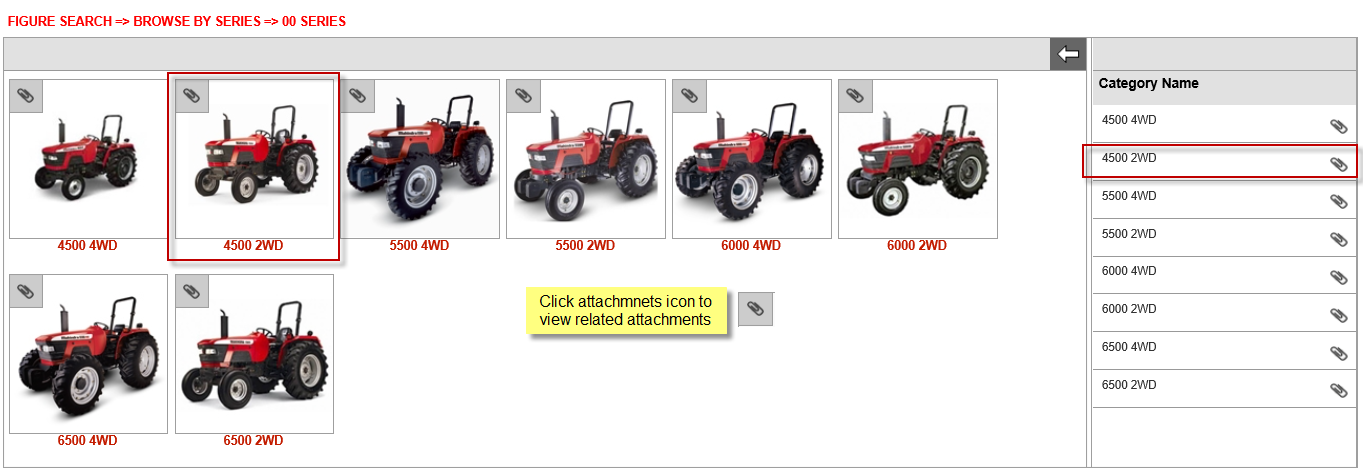
The 'Model'
page comprises of following two sections:
|
Section Name |
Description |
|
Model Figure Section |
Displays images
of all the product models |
|
Model Name |
Displays name of all the product models.
|
User can click the image of preferred model to select that or user can select the preferred model from the model name list on the right hand side of page.
2.
User Can also view the tech literature or other attachments related to
a given model of product from Model page by
clicking the attachment icon as explained above. Clicking attachment icon
will open up the attachments poup window with
list of all the attachments including type, size and the date on which
they have been added or last modified.
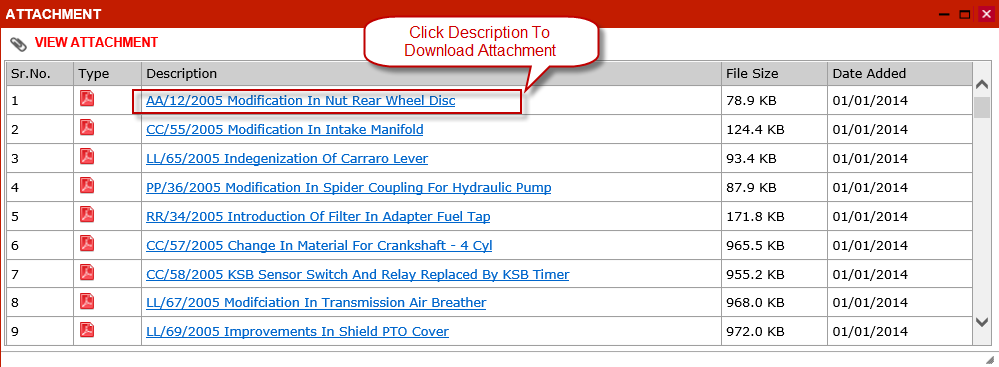
User can click the description link to download the attachment on his local
machine.
 Note
Note

Apart from seeing the Model related attachments from 'Model' page Intelli Catalogue also provides another convenient option to search & download the attachments from 'Literature Module'